
Is “Git for designers” really that good?
YES.
I haven’t been this excited since I opened Sketch for the first time. Seriously.
Yesterday, Abstract launched their public beta. And I’m pretty sure this is going to change everything for design teams.
But first… be honest. What type of designer are you?
- style-guide_v.3.2.1
- styleguide-final-v2-really_final
- header_03; footer_01; home_18
- style-guide
- other (drop it in the comments!)
We’ve all been “myfile_final_03”
Come on. Every single one of us has had a file called “something_final,” or worse, “something_final_03.”
That’s not even the real problem. The problem is if you’re still working like that today.
It’s 2017. Time to evolve. And Abstract’s launch is the perfect nudge to get started.
How I managed files until yesterday
As lead product designer for Shaping Cloud, I’m supposed to guide the team on organizing and documenting work. I’ve been designing for 15 years, and let me tell you—I’ve tried everything.
Until yesterday, my workflow looked like this:
- Dropbox to sync files across the team
- Files organized by Product > Project > File type
- Sketch only (we’re all-in)
- Centralized style guides in one file, updated by multiple people
- Golden rule: Nobody works on the same file simultaneously. Ever.
- When someone updates a file, they shout across the room so everyone knows, and we save it as a new version (v3 → v4)
I know. It’s painful to admit. 😢
I tried other solutions too. Invision Craft for library management—synchronization bugs killed it. UXPin Systems—incomplete shared libraries. Sketch plugins to connect to Git—git-sketch-plugin, SketchGit—nothing worked well. Git doesn’t understand Sketch files properly, so it can’t track changes meaningfully.
I really like what Figma does for team collaboration and version control, but I can’t switch away from Sketch. Not yet.
”Developer thinking”
So how do developers work on massive projects, same codebase, perfect harmony?
Designers have barely evolved our processes. Seriously. Talk to any UI or ad designer—it’s still copy/paste madness, “save as…” everywhere, v1, v2, v3, final, final_2. It drives me insane.
Concepts developers have had for years are only now reaching design. Atomic componentization. Reusable dummy objects. Version control. Team collaboration (see: Git).
Design process models
Two popular ways to organize design projects:
Master file
One file to rule them all. For an app, that’s a Sketch file with an artboard per screen, plus a page for unified symbols.
Decentralized files
Multiple files making up the whole project. Separate files for homepage, onboarding flow, style guide, etc.
Both have trade-offs. I’ve used both depending on the project, but these days I usually stick with one master file per project.
(Note: I mean per specific project—iOS app, Android app, website, landing page. Each gets its own master.)
If you organize differently, comment below! Share your wisdom.
What Abstract actually does
File control
Forget hard drives, network folders, Dropbox. Everything lives in Abstract’s cloud. You don’t even know where your files physically are while you’re working.
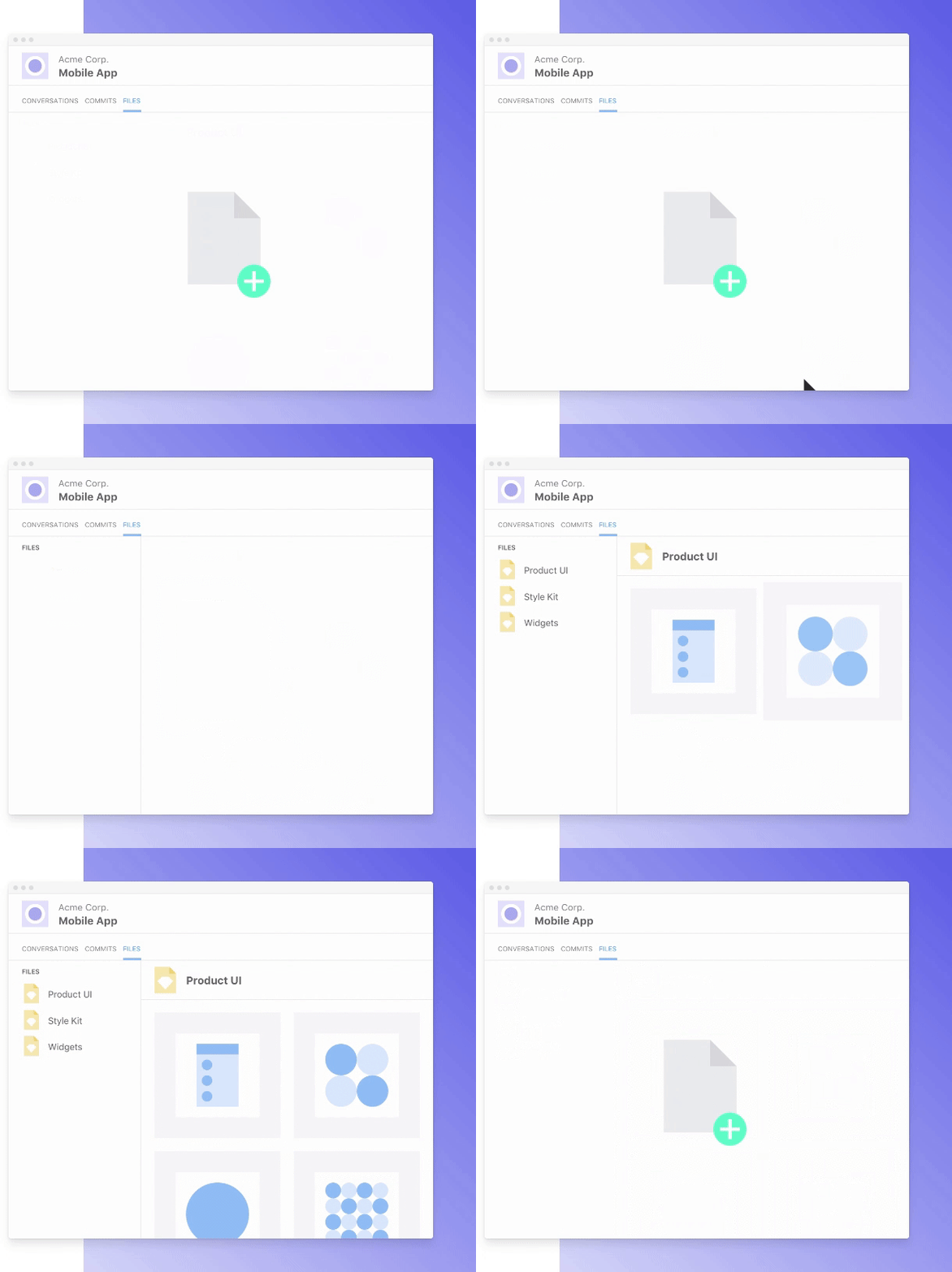
When you open files through Abstract, they download to a temp folder. When you commit an update, Sketch auto-closes the file.
Version control
You work. Abstract handles versioning.
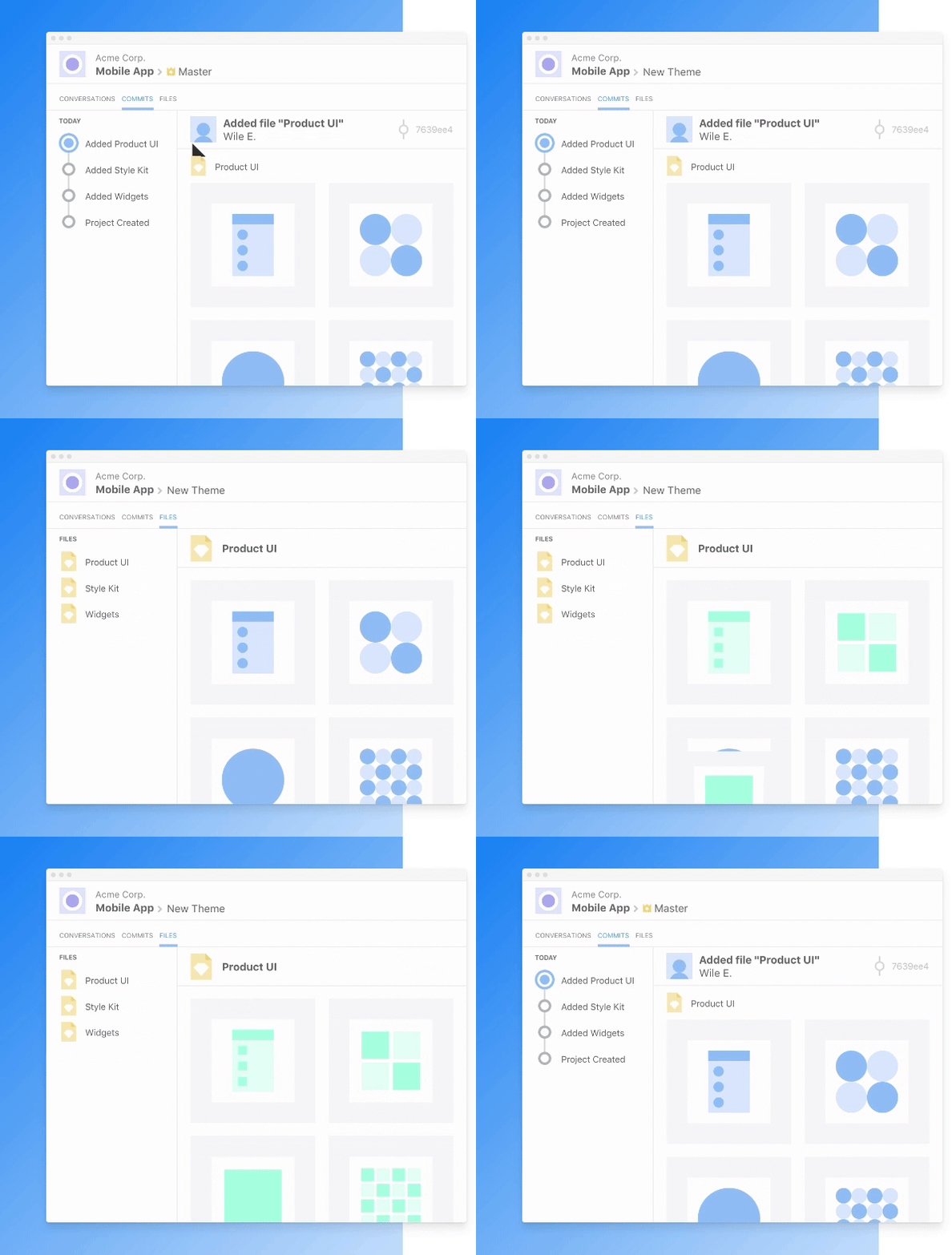
All changes are tracked automatically. Need an old version? Everything’s saved in the cloud.
Change control
Changes appear for whoever needs to approve them. It’s beautiful.
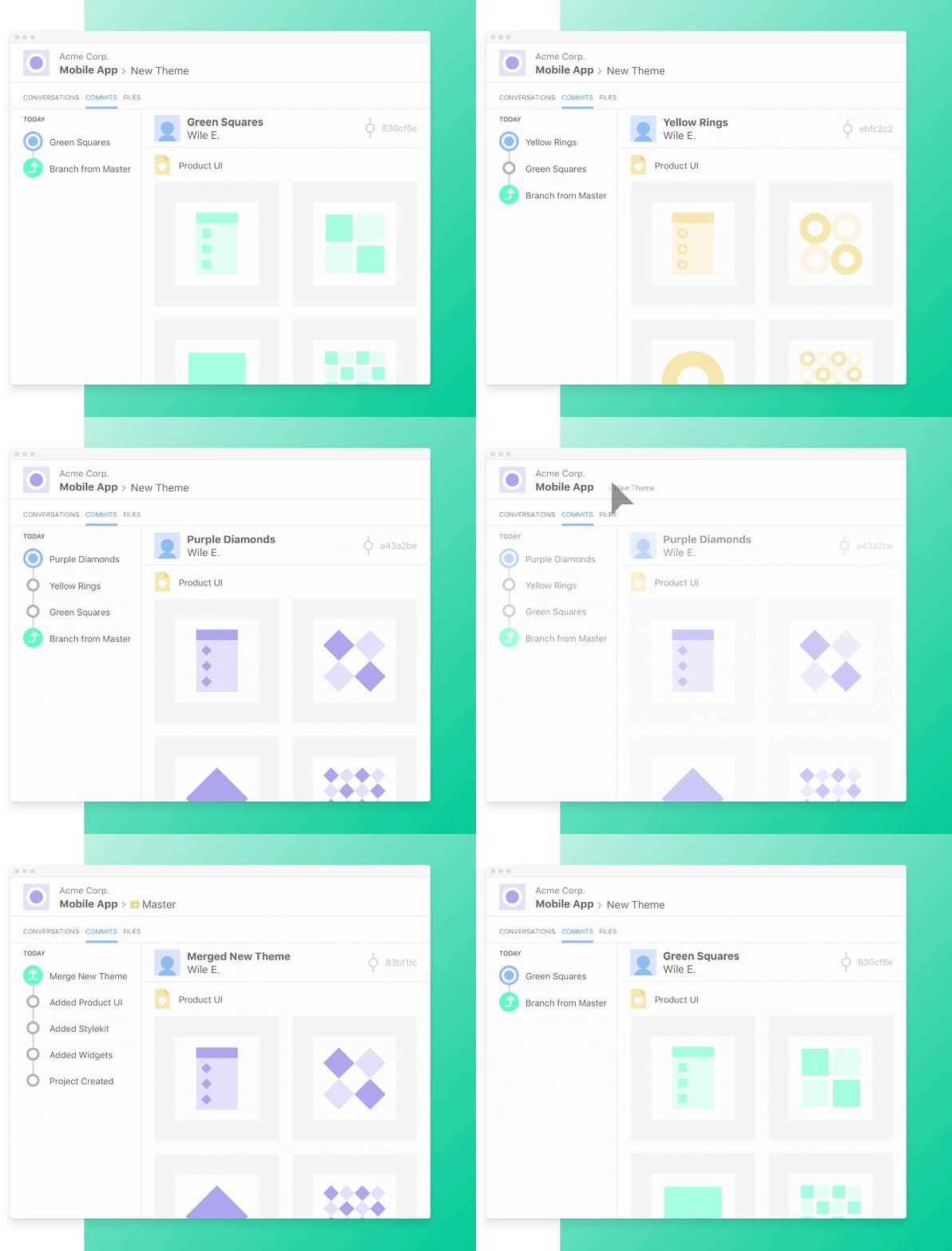
You review what changed, approve or deny. Conflicts? Just choose which version you want.
Plus: built-in comments and Slack integration 🎉
How Abstract changed my life
I’ve never felt this confident about version and change control in design.
My team (🦁 🐰 🐷) has been using Abstract daily for a week now. Some ups and downs—expected for an alpha—but it’s already won me over.
What problem does it solve?
Imagine:
- You’re a designer working with other designers on an app
- One Master file with all screens
- The file has a page with your style guide
- Someone needs to design a new payment screen
- Someone needs to redesign all app icons
- Someone needs an A/B test version of the product screen
Without Abstract
One of a thousand ways to handle this:
- 🦁 Nick designs new icons in a new file
- 🐰 George opens Master, creates artboard, designs payment screen
- 🐰 saves as file-v2
- 🐰 creates another artboard, designs product screen B version
- 🐰 saves as file-v3
- 🦁 opens file-v3, pastes new icons into symbols
- 🦁 saves as file-v4
- 🐷 Tom opens file-v4 next day, changes icon colors
- 🐷 saves as file-v5
Sound familiar? Some version of this nightmare?
With Abstract
- 🦁 Nick creates a branch of master, designs icons where they belong
- 🐰 George creates another branch, designs payment screen
- 🦁 finishes icons, commits to master
- 🐷 Tom gets Slack notification, reviews, approves merge to master
- 🐰 gets notification his file is outdated, updates branch from master—icons instantly updated
- 🐰 finishes payment screen, commits to master
- 🦁 creates another branch, works on product screen B version, changes icon colors
- 🦁 commits to master
- 🐷 sees both updates, handles icon color conflict, approves changes
Clean. Organized. No version number madness.
Things to watch
During the alpha, we hit some delays—merges took a while, and files over 100MB struggled. But honestly? Expected for an alpha. They’re shipping updates weekly, and I’m confident the final version will be way more stable.
Also: right now, it’s Sketch-only. They’ve promised other formats soon. I’m guessing PSD is next.
Bottom line
Start testing the beta today. Once you get it, you’ll never let go of Abstract. 😍