
You’ve mapped out the structure. Got the flows nailed down. Now comes the bit where things start to feel real—choosing how it actually looks.
And honestly? Most of us play it safe. White backgrounds. Dark text. Job done. Makes sense, right? High contrast, easy to scan, doesn’t make anyone squint. It’s the vanilla ice cream of design decisions: reliable, inoffensive, and nobody’s going to complain.
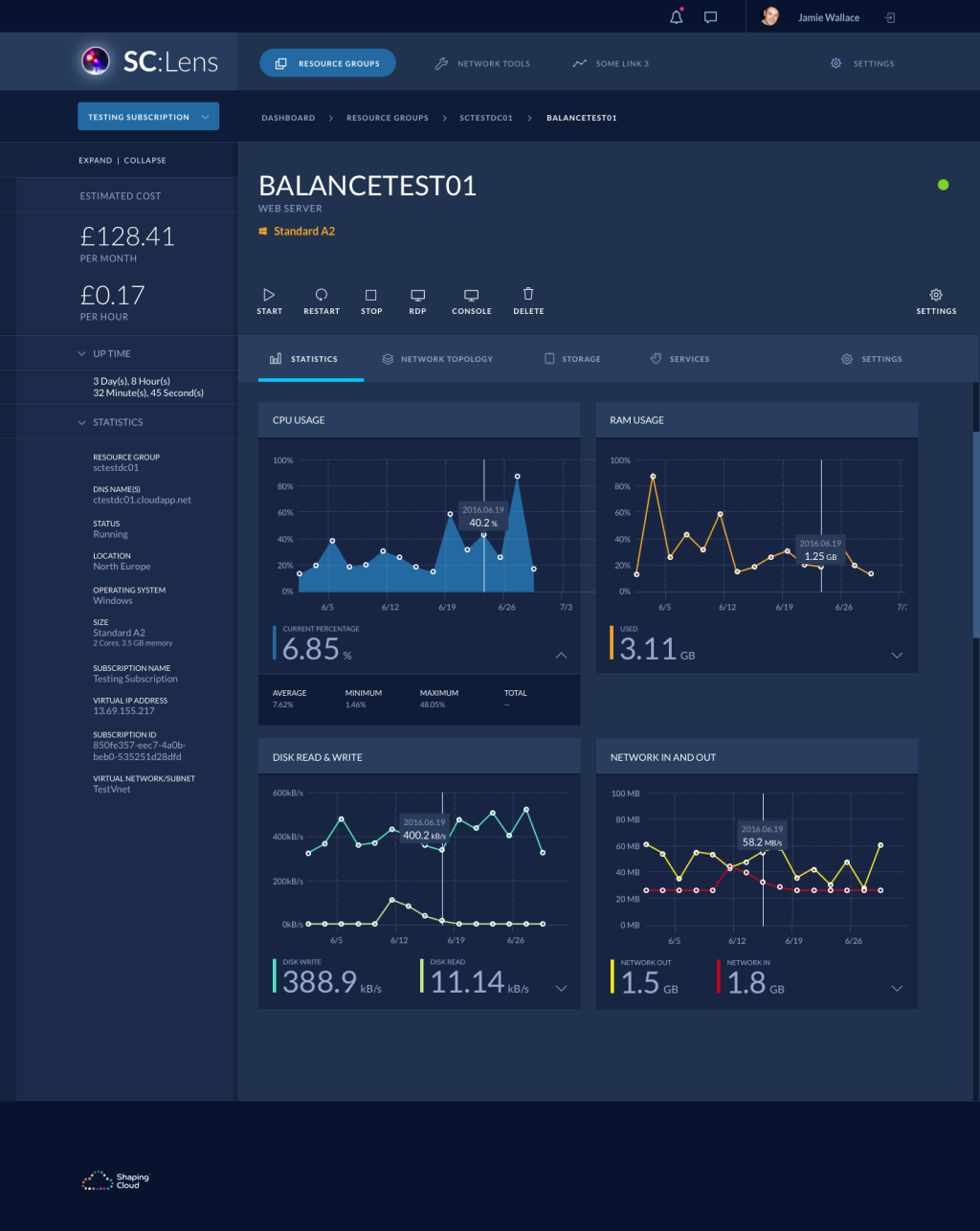
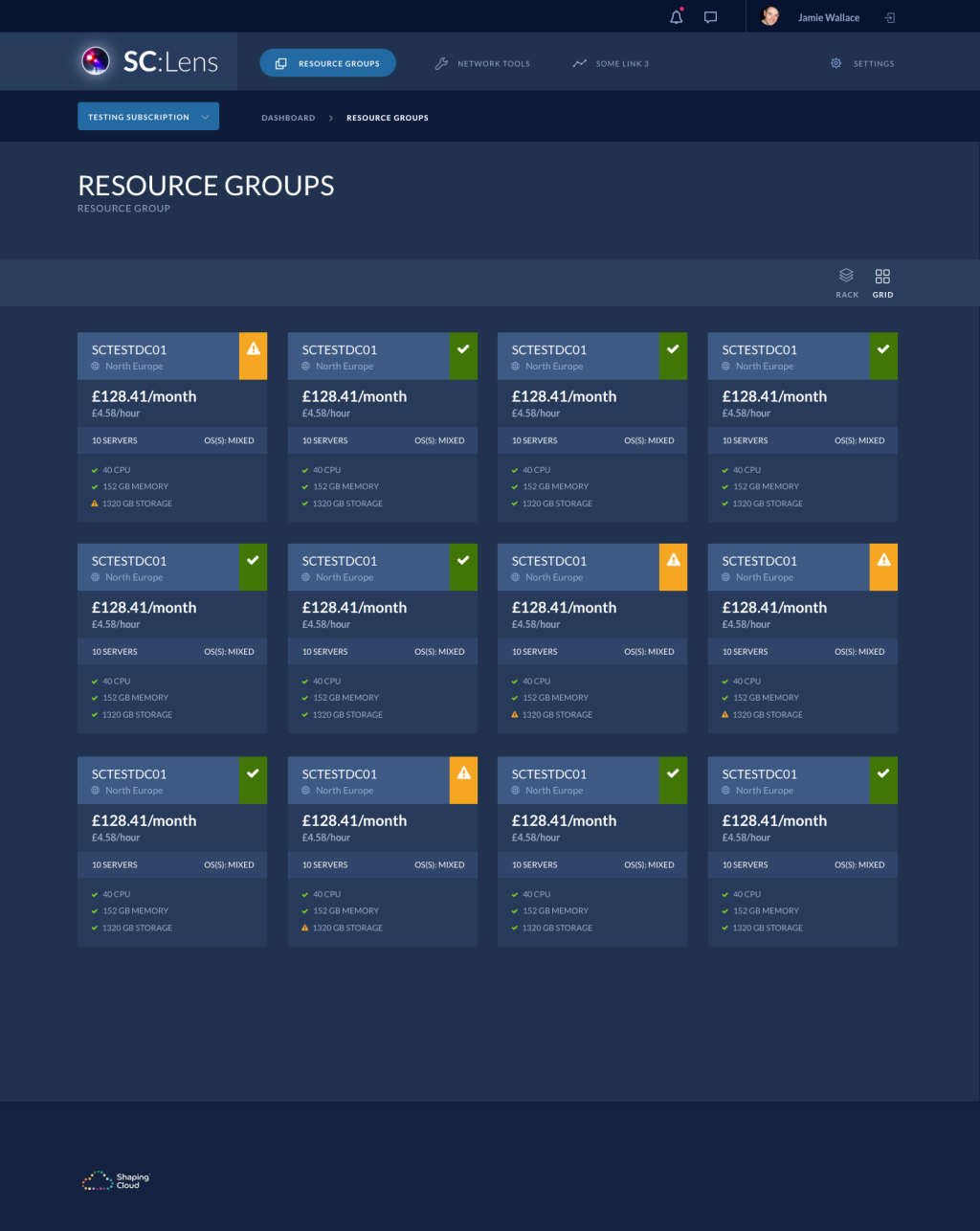
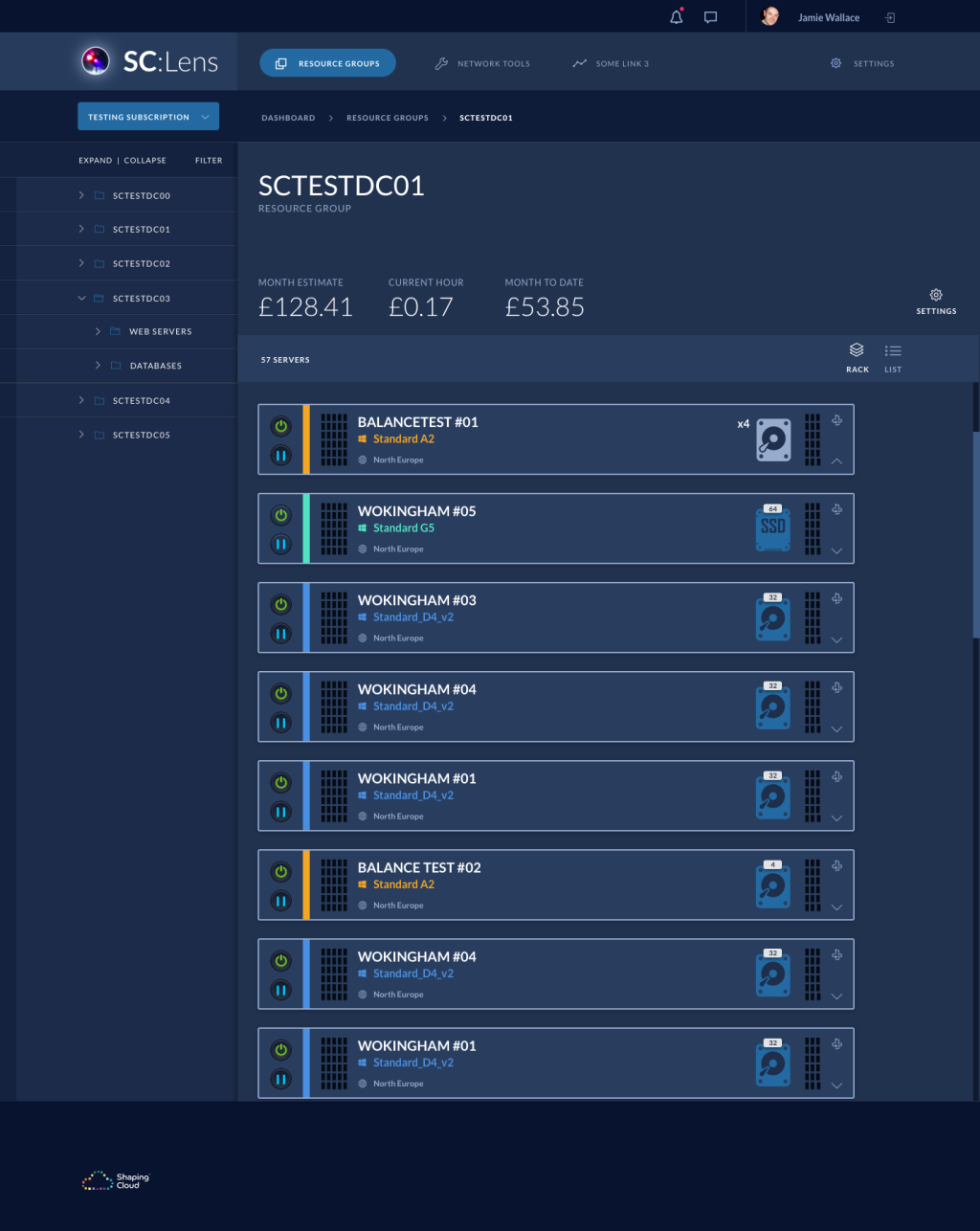
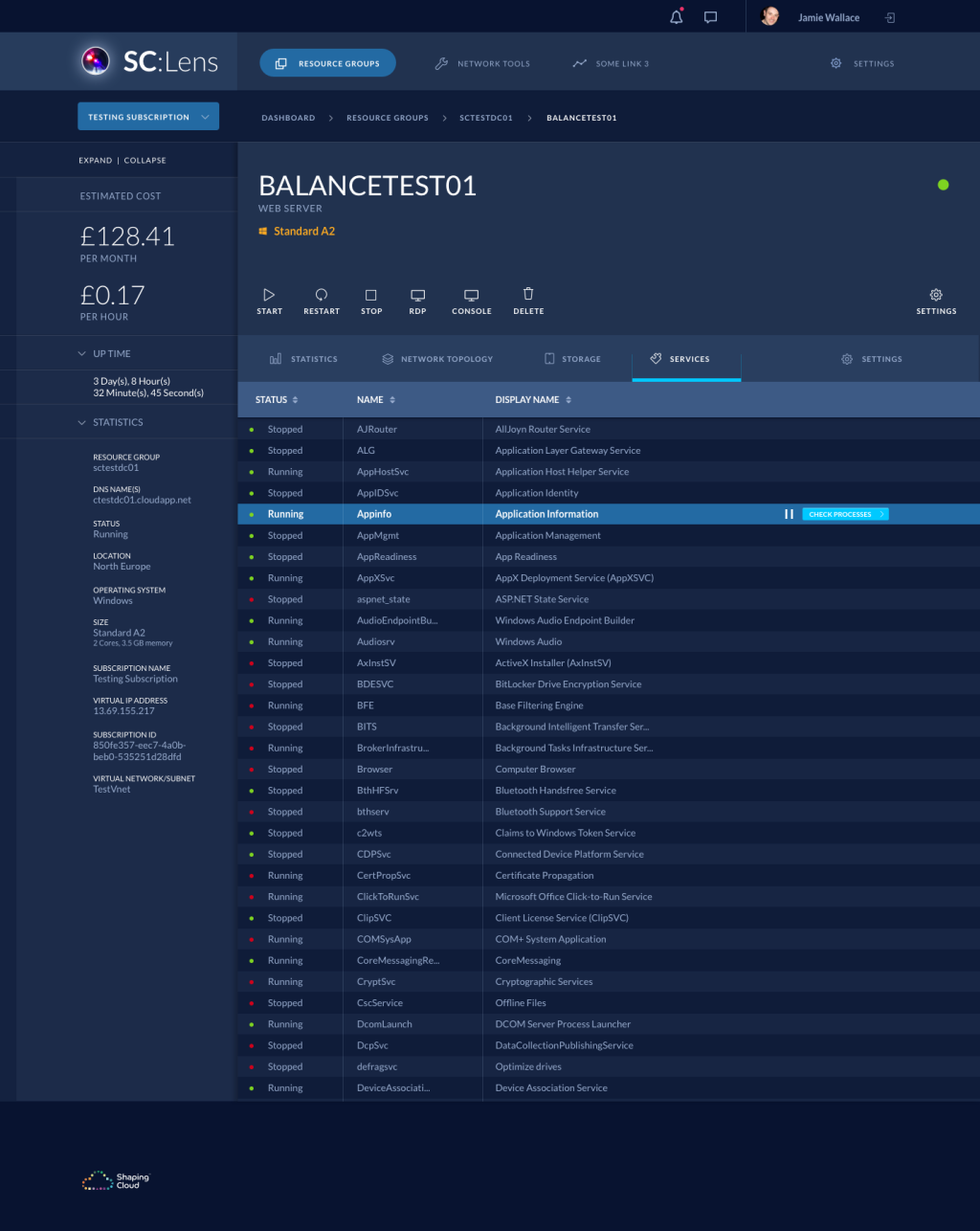
But a few months back, I found myself staring at wireframes for an Azure cost management tool called SC:Lens. And something about it felt…wrong. This wasn’t a blog. It wasn’t a content site drowning in paragraphs. It was a dashboard—dense, technical, meant for long sessions. The kind of thing where users might be knee-deep in spreadsheets at 11pm trying to figure out why their cloud costs just doubled.
So I thought, why not try a dark theme? How hard could it be?

Turns out? Pretty hard, actually.
The moment I started layering in colours, problems surfaced. Text wasn’t quite right. Legibility took a hit. Elements that looked fine in wireframes suddenly felt…off. Because here’s the thing: white text on dark backgrounds doesn’t behave the same way as dark text on white. It’s bolder. Sometimes too bold. Your eye gets tired faster. And if you’re not careful with your font weights and spacing, the whole interface starts to feel claustrophobic.
So why even bother with dark UI if it’s such a pain?
Fair question. Here’s why I went ahead anyway:
1. It matched the vibe. Cost management? Think power, control, sophistication. Dark themes carry that weight. They feel…premium. Like you’re doing something important, not just clicking around a pastel SaaS tool.
2. It wasn’t text-heavy. This wasn’t Medium. No endless scrolling through articles. Just data, charts, controls. Visual hierarchy mattered more than paragraph readability.
3. Eye strain was a genuine concern. If someone’s staring at server costs for three hours straight, a bright white screen isn’t doing them any favours. Dark mode might actually be kinder.

So when does it actually work well?
Think about when you’re watching Netflix. Lights are low, you’re on the couch, the TV’s your main light source. A bright white interface would be jarring, almost aggressive in that context. But a dark UI? It melts into the background. The content—the movie poster, the show title—that’s what pops.
Streaming services figured this out years ago. Gaming consoles too. Dark UI isn’t a trendy choice for them; it’s functional. You’re usually far from the screen, in a dim room, and you want the interface to get out of the way.

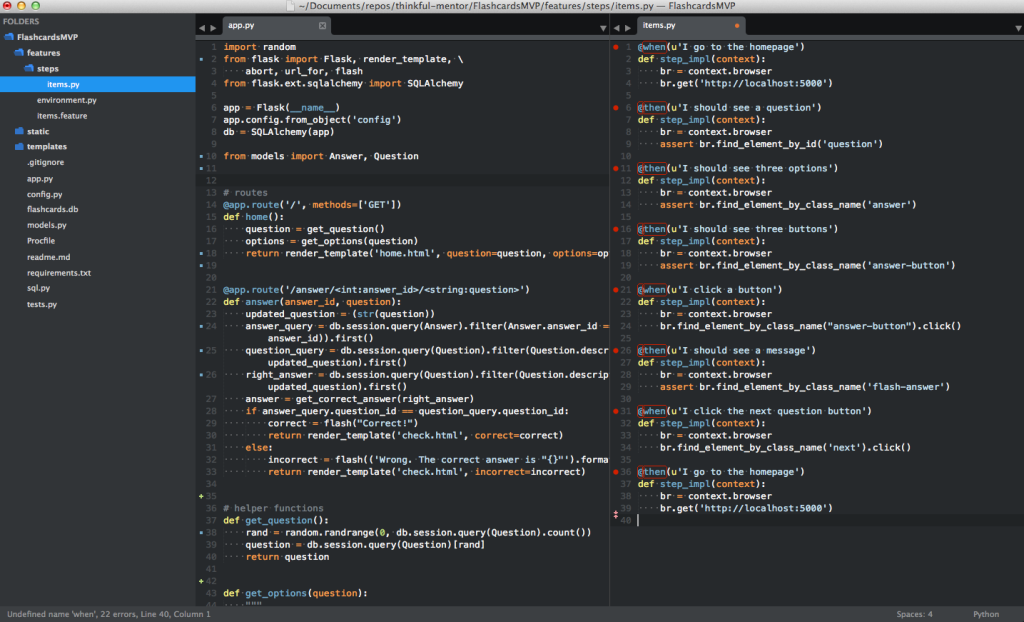
Same goes for tools people live in all day. Developers, for instance. They’re not dipping in and out of their code editor—they’re in there for eight, ten, twelve hours. A stark white background? That’s a one-way ticket to headaches and tired eyes.
Dark-themed code editors aren’t just about aesthetics. They legitimately reduce strain, and the syntax highlighting usually pops better against darker backgrounds. Easier to distinguish functions from variables, comments from strings. Little things that add up when you’re reading thousands of lines of code.
What I learned the hard way
Pure white on pure black? Don’t do it.
I know, seems counterintuitive. Maximum contrast should equal maximum readability, right? Nope. That much contrast is actually harsh. Your eyes have to work harder, and over time, it gets exhausting.
Instead, I used slightly off-white text on dark grey backgrounds. Not #000000 and #FFFFFF, more like #E5E5E5 on #1A1A1A. Subtle, but it makes a world of difference. Elements still stand out, but your eyes don’t feel like they’re being assaulted.
Just watch out for older monitors—they might not render subtle greys well.
If there’s a lot of text? Stay in the light.
This one’s non-negotiable, honestly. Long-form content needs a light background. Reading paragraphs on dark backgrounds is painful. Our brains are just wired to prefer dark text on light surfaces—it’s what we’ve been doing with ink on paper for centuries.
That doesn’t mean your whole site has to be white. You can mix and match. Dark UI for navigation and controls, light panels for articles or documentation. Best of both worlds.

Go lighter with your font weights
This one caught me off guard. White text looks heavier than dark text, even at the same weight. Something about how our eyes perceive light…I won’t pretend I fully understand the science, but the effect is real.
So if you’re using Regular (400) weight on light backgrounds, you might need Light (300) on dark ones. Side-by-side comparisons are your friend here. What looks balanced on paper often doesn’t translate to screen.

Be ridiculously generous with spacing
I thought I’d added enough breathing room. I hadn’t. Then I added more. Still not enough.
Dark UIs eat whitespace for breakfast. What feels spacious on a light background can feel cramped on dark. Padding, margins, line height—everything needs more air. And then when you think you’re done? Add just a touch more.
It sounds excessive, but trust me on this one. Generous spacing is what separates a professional dark UI from one that feels claustrophobic and cluttered.
Final thoughts
Light UI is the safe bet. But sometimes, dark UI is the right bet.
Just make sure you’re doing it for the right reasons—not because it looks cool (though it does), but because it genuinely serves your users better. And if you go dark, be prepared to sweat the details. Typography, spacing, contrast—everything matters twice as much.
Would I do it again? Yeah, probably. But next time I’ll know what I’m getting into.